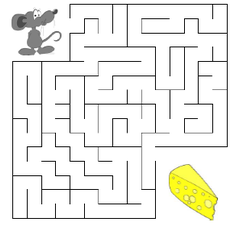
In this lab, you will program a maze navigation game where a mouse must find its way to the cheese. The assignment is divided into two parts: testing and game implementation. Both parts use the same maze and header file, which are described below.
Objective: You will guide a mouse through a maze to find cheese, which is located at the bottom-right corner of the maze. The maze is a grid of rooms with a size of mazeSize x mazeSize, where each room is defined by a unique coordinate pair.
Room Coordinates: The horizontal coordinate of a room is a number between 1 and mazeSize. The vertical coordinate is a letter from 'a' to 'a' + mazeSize - 1. For example, the top-left room is labeled as a1, and the bottom-right room is labeled as a + mazeSize - 1, mazeSize.
Mouse and Cheese Placement: The mouse starts in the top-left room, a1, and the cheese is located in the bottom-right room. The goal is to navigate the mouse through the maze to reach the cheese.
Walls: Random walls will be placed between adjacent rooms in the maze. Two rooms are adjacent if they are directly to the left, right, above, or below one another. Diagonal rooms are not considered adjacent. A wall blocks the mouse from moving between two adjacent rooms.
Wall Placement: The number of walls, numWalls, will be randomly placed between adjacent rooms. If a wall exists between two rooms, the mouse cannot move through it. Walls are represented as r1|r2, where r1 and r2 are the coordinates of two adjacent rooms. No checks are required to ensure the maze is fully navigable. The user can request to print the wall locations at any time. You can think of each wall as blocking movement between two specific rooms, such as from room 1 (r1) to room 2 (r2). Each wall only blocks movement in both direction between a pair of rooms. For example, if room b2 has walls blocking every direction except down, there would be walls between b2 and a2, b2 and c2, and b2 and b1. This would leave only room b3 as a valid move for the mouse.
During the game, the program will display the mouse's current room and ask for the next move. The user can move the mouse (u)p, (d)own, (l)eft, (r)ight, or (q)uit the game. If the move is blocked by a wall or takes the mouse out of bounds, the program will display "wall" and keep the mouse in the same room. The game continues until the mouse reaches the cheese or the user quits.
The maze is represented using two main structures, declared in the header file:
Not provided in the header file are the Big Three: copy constructor, destructor, and overloaded assignment. Demonstrate your understanding of the basics of each by adding them to these structures.
These key functions are needed to build and navigate the maze:
Create a project titled Lab8_Test. Add maze.hpp and testMaze.cpp to your project. Implement the functions prototyped in maze.hpp and test them using testMaze.cpp. Place your implementations in maze.cpp.
Note that portions of the test file are commented out to encourage incremental development. Start by implementing the uncommented functions. Once these work correctly, uncomment the next portion of the file and continue.
When your project is fully working, submit it.
Create a project titled Lab8_Game. Use the same maze.hpp and maze.cpp files from Part 1. Add game.cpp, which will contain the main() function for the game.
Here is the pseudocode for the game:
    1. Call build() to generate the maze.
    2. Set the mouse's starting position to the top-left corner.
    3. Ask the user if they want to see the wall positions.
    4. Start the game loop:
        a. Print the current room.
        b. Call nextMove() to get the user's move.
        c. Check if the move is blocked by a wall using checkMaze().
        d. If valid, update the mouse's position.
        e. If blocked, print "wall."
    5. End the game when the mouse reaches the cheese or the user quits.
Hint: For Part 2, implement the basic movement logic first and then incrementally add wall checks and user input handling.
Your milestone for this lab is to implement and test the room and wall functions from Part 1. Submit your projects to the repository and verify your submission.